
FC 26 – Best Game & Controller Settings
I have tried and tested numerous combinations of settings, to find what I believe is the best settings controller settings in EA FC 26

Table of Contents
EA FC 26 has changed some of the default game settings that you may be used to. If you’re struggling with defending and shooting, it may be because EA has changed the “default controls”. Although at first it can seem challenging to understand what each setting does, largely down to not being particularly clear in-game.
I have a video below where I go through each setting in detail, explaining what every setting does with visual examples. And remember if you are looking for detailed coaching or advice about this year’s game, make sure to check out my FC School, where I offer in-depth guides about EA Sports FC 26.
Check out the full video explained in detail showing you what each setting does with visual examples
Best FC 26 Settings:
The settings below that I have suggested will give you the best performance in the game, with the most AI assistance. For example, if you have Shot Assistance on assisted it allows the game to help you aim the shot, however, if you would like to up your level, you can always opt for the precision shooting, as denoted in brackets, which offers the user to have more control on where to aim their shots.
Presets
Competitive (use this if you play online)
Shooting
Shot Assistance: Assisted
(Pros who have mastered it can use Precision Shooting; otherwise Assisted is best)
Passing
Through Pass Assistance: Semi
Lobbed Through Pass: Semi
Ground Pass Assistance: Assisted
Cross Assistance: Assisted (Use Semi if you manually like to cross the ball as it gives you the ability to control power – see the video)
Lob Pass Assistance: Assisted
Pass Receiver Lock: Late
Precision Pass Sensitivity: Normal (This controls precision pass aiming sensitivity to your left analog stick)
Defending
Clearance Assistance: Directional
Defending: Tactical
(You can use Advanced Defending if you’re confident)
Professional Fouls: On
Pass Block Assistance: On
Switching
Auto Switching: Air Balls & Loose Balls
Auto Switching Move Assistance: None (Low if you are new to the game)
Right Stick Switching: Classic
Right Stick Switching Reference: Player Relative
(You can use Player Relative if that’s your habit; if you’re new/struggling, try Ball Relative)
Right Stick Switching Sensitivity: 5
Reaction Time Calibration: Off
Player Lock: On
Dribbling
Simplified Skill Moves: Off
Goalkeeper
Save Assistance: Assisted
Camera Pan Speed: Default
Controller Preferences
Analog Sprint: Off
Trigger Effect: Off
Should you use Advanced Defending in FC 26?
My personal opinion is no, I would not recommend advance defending in fact there’s not really a benefit to using it, UNLESS, you are good at defending an you know how to defend properly, if you don’t know how to defend properly advance defending is just going to make it harder for yourself, think about advance defending like driving a manual or gear stick shift car.
Keep it on tactical, the game is actually smart enough to know when to use a shorter shoulder or to use a normal tackle, that’s why refer it to an automatic car because the game makes the right decisions for you almost every single time, but with advanced offending if you make a mistake, you are in big trouble so I would say the benefit is only there if you already know how to defend at a good level.

Why Trust NealGuides:
NealGuides is a gameplay expert with one of the biggest tutorial channels for EA FC 26. He has repeatedly predicted powerful META mechanics in advance and turned them into practical guides that help players improve. He is also one of the very few members part of the EA Design Council, in which he travels to EA headquarters multiple times per year to play the game and provide feedback and as a consultant.
Through his 20 years of extensive football simulation knowledge, he now focuses on helping the average player get better at the game. He has coached over 10,000s of people exclusively through his FC School, and his YouTube channel boasts over 300,000 subscribers, with over 100 million views across all platforms. Best known for his tactics, he breaks down each tactic and formation exploring the different variations and adjustments for the viewers style, all his formations that he releases are testing by him and members of different skill levels before being released.
Should you use Precision Shooting in EA FC 26?
Another question that’s commonly asked is, is it worth using precision shooting? What does it do?
Precision Shooting allows you to manually aim your shot to precisely put it where you want it to go. There is a risk though, its quite a steep learning curve, and can make you miss easy clear chances.
I have done a detailed video explaining the benefits of precision shooting on youtube.
My advice is on this situation, if you feel comfortable with attacking and inside the box you’re patient what I mean by this is, let’s say you can dribble inside the box without panicking, or panic shooting then I would definitely recommend giving precision shooting a try.
I would definitely go to say that it’s worth giving it a go, it can make you miss very easy chances, so if you’re the kind of person where you very rarely creates chances inside the game – this is not for you stick with Assisted, but with precision shooting, you can use your left analog to aim where you want the shot to go, the game has a feature well it increases the ball speed and accuracy of the shot making precision shooting the more preferred choice amongst top players.
Note, if you are in a professional player or an aspiring pro, you have to use precision shooting, because the competitive modes by default, they force you to have that setting on an you can’t turn on assisted shooting.
In fact, when I teach with my tutorials I always suggest assisted shooting but I would say once you get comfortable with the game, I would recommend then change precision, so right now I would say if you’re not used to it just keep on assisted and down the line once you get used to the game, you can change to precision shooting.

Key Takeaways
Once you have changed the settings in FC 26, make sure to look at the best tactics and formations in FC 26 to ensure you are making the most out of the subtle changes in gameplay this year.
- Copy the settings exactly and use it as a template inside FC 26
- Remember Precision Shooting can give you an advantage this year but you need to know to to use it
- Keep defending on Tactical, not Advanced, as there is only a few benefits unless you are a top defender
- Make sure you check out my tactics list of codes and formations.
- Check out my post on the best formations to use in FC 26

Neal Guides
I am NealGuides, I run a Youtube Channel with over 300k+ Subscribers helping people get better at FC 26. We have helped millions of people improve.
I am part of the EA Design Council, in which I have played EA FC 26 early and provide feedback on the game to help shape its future.
I have coached many players in FC from the average casual, to pros, to real life footballers. If you want to improve at FC join my FC school series.
Want to improve at FC 26? Join my FC School Series


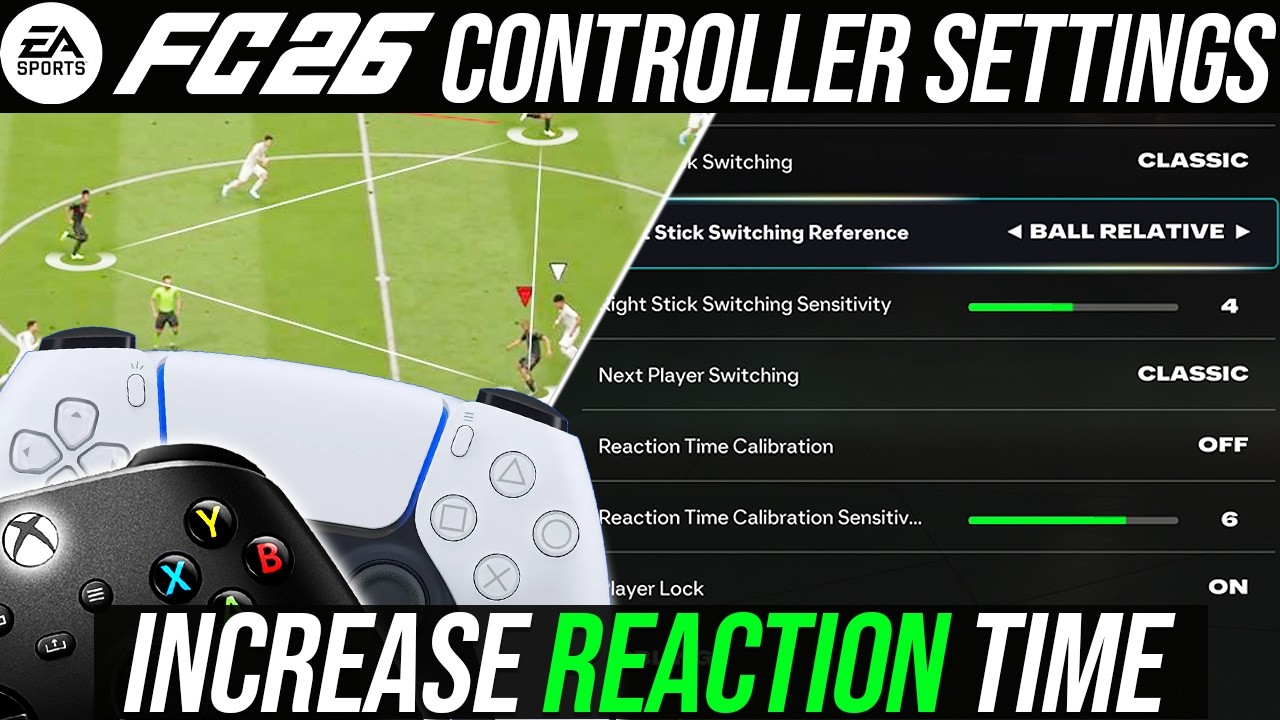
EA FC 26 has changed some of the default game settings that you may be used to. If you’re struggling with defending and shooting, it may be because EA has changed the “default controls”. Although at first it can seem challenging to understand what each setting does, largely down to not being particularly clear in-game.
I have a video below where I go through each setting in detail and explain what each setting does with visual examples. And remember if you are looking for detailed coaching or advice about this year’s game, make sure to check out my FC School (URL), where I offer in-depth guides about FC 26. (EA Website)
