
Best Game & Controller Settings To Use in FC 27 (Full List)
I have tried and tested numerous combinations of settings to find what I believe are the best controller settings in EA FC 27.

Table of Contents
In this article we’re going to go over which are the best settings to use in FC 27 for your control and game settings. A lot of things have changed this year. One of the biggest things is the game has become more manual and defending is harder. Therefore the normal default controls might not be in your favour, and also copying a professional player’s settings may not help you, as those settings are more manual to give them more control. But it won’t necessarily help the average player, or even an elite player for that matter.
Recommended FC 27 Controller Settings at a Glance
| System | Button | Action | How It Works |
|---|---|---|---|
| Tactical Defending (Recommended) | ⭕ Circle or 🅱️ B | Contextual Tackle and Push | Automated: The engine automatically decides whether to execute a standing poke tackle, wrap around challenge, or shoulder barge based on angle and positioning. |
| ❌ Cross or 🅰️ A | Contain | Directs your selected defender to track and shadow the ball carrier at a controlled distance. | |
| Advanced Defending (Manual Dual Input) | ⭕ Circle or 🅱️ B | Standing Tackle Only | Manual: Exclusively lunges with a foot challenge. Will never automatically shoulder barge or seal out an opponent. |
| ❌ Cross or 🅰️ A | Shoulder Challenge or Seal Out | Manual: Initiates physical shoulder barges and body checks. If mistimed or pressed in the wrong context, the defender misses completely. |
| Category | Setting | Recommended Value | Why It Matters |
|---|---|---|---|
| Preset | Competitive Settings | On | Standardizes assists across all competitive online modes. |
| Shooting | Shot Assistance | Precision (Assisted for beginners) | Rewards accurate manual aiming with higher shot speed and sharp corner placement. |
| Passing | Ground Pass Assistance | Assisted | Maintains maximum pass velocity and trajectory accuracy. |
| Passing | Through Pass Assistance | Semi | Through balls behave manually this year. Semi gives you manual placement freedom into space. |
| Passing | Lobbed Through Pass | Semi | Prevents lofted through balls from floating directly to the goalkeeper. |
| Passing | Cross Assistance | Semi | Essential in FC 27. Allows you to control power to target the near post or far post runner. |
| Passing | Lob Pass Assistance | Assisted | Keeps driven and regular lofted switches accurate across the pitch. |
| Passing | Pass Receiver Lock | Late | Gives you until the moment of ball contact to change your pass direction. |
| Passing | Precision Pass Sensitivity | Normal | Balances stick tracking speed during manual precision drives. |
| Defending | Defending System | Tactical Defending | The safest choice for most players. The engine contextually triggers tackles and physical pushes. |
| Defending | Clearance Assistance | Directional | Clears the ball where your stick points instead of blindly up the pitch. |
| Defending | Pass Block Assistance | On | Enables automatic leg extensions and interceptions when cutting passing lanes. |
| Defending | Professional Fouls | On | Enables deliberate foul inputs to stop breakaways and dangerous counter attacks. |
| Switching | Auto Switching | Air Balls and Loose Balls | Stops unwanted automatic switches while your opponent builds up along the ground. |
| Switching | Auto Switching Move Assist | None | Gives you complete control over player momentum the split second you switch. |
| Switching | Right Stick Switching | Classic | The cleanest and most direct flick targeting response. |
| Switching | Right Stick Reference | Ball Relative | NealGuides top recommendation for FC 27. Creates reliable switching directly around the ball. |
| Switching | Next Player Switching | Closest to Ball | Mandatory change. Fixes bumper switching so L1 always targets the nearest active defender. |
| Switching | Right Stick Sensitivity | 5 | Quick enough to target distant defenders without overshooting your mark. |
| Switching | Reaction Time Calibration | Off | Disables input smoothing so switching responds instantly. |
| Switching | Player Lock | On | Press L3 and R3 together to pass and make manual runs off the ball. |
| Dribbling | Simplified Skill Moves | Off | Prevents the game from rolling random skills so your inputs execute cleanly. |
| Goalkeeper | Save Assistance | Assisted | Lets manual keeper positioning work while the AI handles reflex saves. |
| Preferences | Analog Sprint | Off | Delivers top sprint speed immediately when depressing the trigger. |
| Preferences | Trigger Effects and Haptics | Off | Eliminates trigger tension and motor vibration that cause input delay. |

Is the game doing Flick Ups / Kick Ups / Lob Pass every single time you try to do a regular ground pass? Here is the fix
There is currently a major glitch inside the game, which cannot be fixed through regular controller or game settings reset. You’re going to have to follow these steps because I also experienced this glitch and this is what I had to do to fix it. The glitch happens is when you receive the ball to your feet, your players start doing kick-ups or lobbing the balls or flicking the balls up in the air. This mainly happens either on first touch or when you’re executing a ground pass, which is X on PlayStation or A on Xbox. This is the fix below. I would strongly recommend watching this video here which goes through the steps visually in detail.
Step 1: Reset your gameplay settings
The first thing to try is resetting your gameplay settings to their defaults.
1. Open FC 27 and navigate to Game Settings.
2. Select the Gameplay tab.
3. Navigate to the Preset section.
4. Select Restore Defaults.
5. Confirm that you want to reset your settings.
This will reset your gameplay settings, including any custom preferences you have previously configured. You may be asking why do this first? Some people have other conflicting issues that force precision shooting to stay on etc.
Step 2: Reset your custom controller configuration
Next, you need to reset your controller configuration.
1. Navigate to Preferences.
2. Select Customise Controls.
3. Locate the Preset option at the top of the controller settings.
4. Switch between the available presets, choose CLASSIC and then save that as your current settings.
5. Return to Classic once you have finished. This can help force reset the controller settings back to “default”.
If you use a custom controller configuration, now go back and change your settings re-change them and overwrite the classic settings as your new settings. This will tell the game, I am resetting and using custom controller settings.
Step 4: Save your FC 27 profile
It is important to SAVE your new profile inside FC 27 profile after making these changes.
Navigate to:
Preferences → Profile → Save FC Profile
Confirm that you want to save your personal settings file.
This saves your settings so that you can reload them when you return to the game, and forces the game to reset and read the controller settings that was saved. This is where the glitch fixes for most people. Restart the game and double check your controller settings and you are good to go.
If you still have issues after this point, just go into your custom controller settings, change two things around and then change them back, and save it. I know its so ridiculous, but this is the fix that I found that is working, save profile again, then back out to the main menu. This way you don’t exit the game “mid application” and force some errors. Do not ask why its this way, I have no idea, All I remember is I was inside a game and I was playing someone and the game just kept flicking the ball up. I tried to change the controller settings but that wasn’t working, but you have to manually do it this way and then save your profile.
Join my FC School Series. Guaranteed improvement in one month, or your money back. Videos in a structured format, everything from the fundamentals to the META. Updated regularly. If you do not get better after one month, we will refund your money, its as simple as that you have nothing to lose. Find out more information at LearnFC.com
Deep Dive: Critical Settings Explained
1. Tactical Defending vs. Advanced Defending
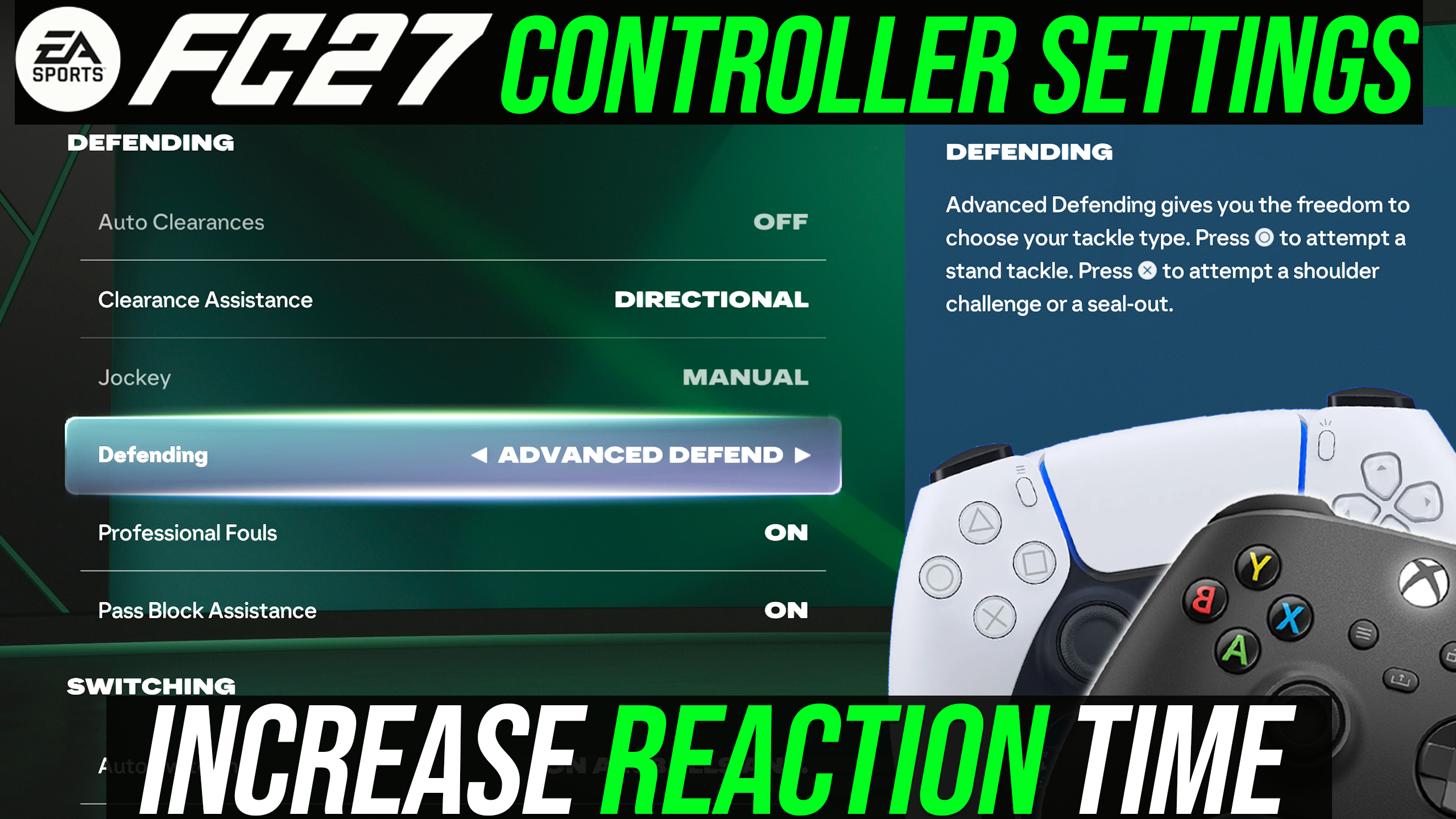
Tactical Defending remains the recommended setup for most players. With Tactical Defending, your controller handles context automatically. When you press tackle, the game decides whether to trigger a shoulder to shoulder physical barge or a normal tackle based on the situation. Advanced Defending splits tackling into two separate buttons. Circle or B performs a standing tackle, while Cross or A triggers a shoulder push. While Advanced Defending offers theoretical control for elite pros, mistiming an input leaves your defender locked in animation, and your opponent will get through on goal. Because the Bruiser playstyle has been adjusted and defensive AI tracking is reduced, Tactical Defending provides a far safer foundation for competitive matches. You can always change after to Advanced defending once you’ve become used to the game.
2. Shot Assistance: Assisted vs. Precision
Precision shooting gives you more control over your shots. Not only that, it also gives you increased in ball speed. For professional players, they have to use this. However, in this iteration, I don’t even think you need to use it, especially if you’re just a casual player, or even if you’re just trying to play the Weekend League and you want to get towards the rank one. You can very easily get that with assisted shooting. I’ve done the same last year. I would only recommend precision shooting for those that really know how to aim. There is definitely an advantage in certain angles where you’re a bit more wider towards goal and the angle isn’t in your favour. Using precision shooting to manually aim your shot can help. But with assisted shooting, I think you’re more than fine. It’s only if you want to squeeze that extra fine-tuning in those rough angles, which makes precision shooting worth it.
3. Right Stick Switching
Why sync switching is really important this year because manual defending is so important. Not only do you have the benefit of getting increased interception range when you manually control a player as opposed to an AI controlled player, but there is a skill to changing early and switching to the right defender. The earlier you switch, the more you can anticipate the danger. Biggest through balls are still very potent, especially over the top. You need to be ready to switch, or you can concede as the game does not AI defend for you like it did last year.
4. Controller Preferences & Hardware Tweaks
Player switching is the most critical defensive skill gap this year. Teammate contain and defensive AI tracking have both been nerfed, meaning manual switching determines whether you concede or win the ball.
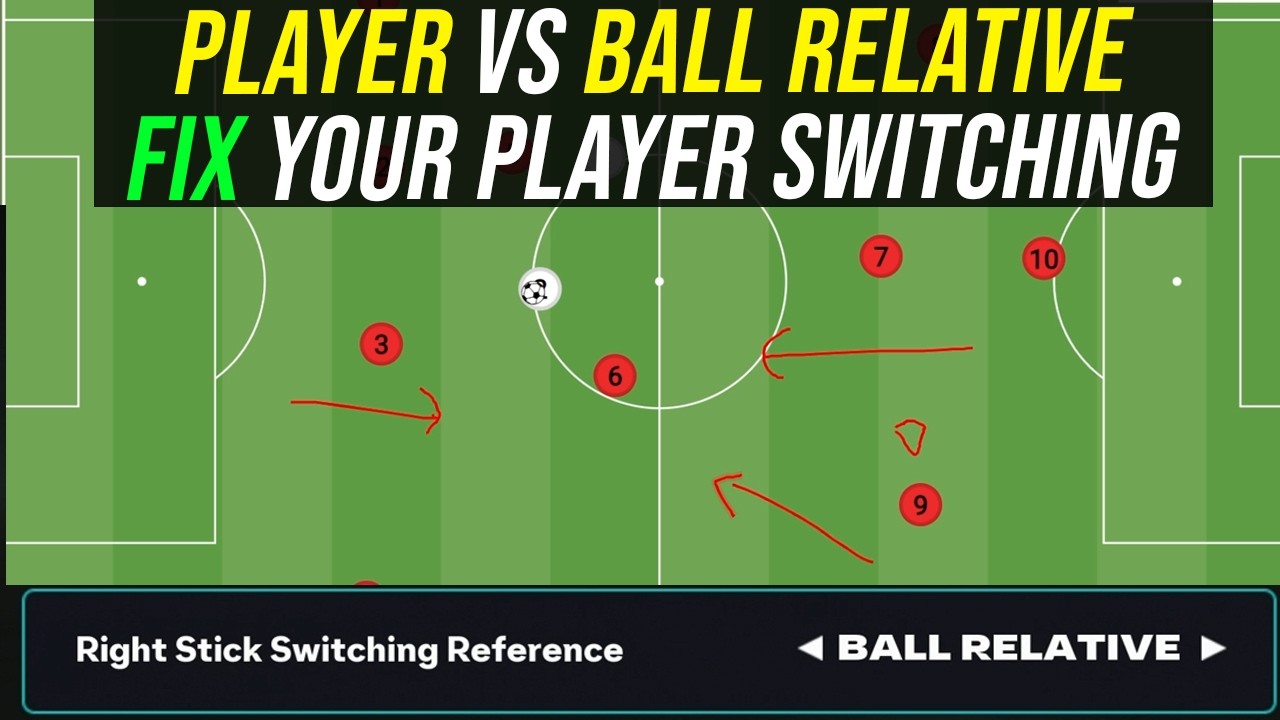
Right Stick Reference (Ball Relative): While Player Relative has been popular previously, Ball Relative is the top recommendation for FC 27. With pressing becoming heavily manual, Ball Relative creates consistent switching by switching to the player closest to the ball, where the actual ball is the reference point of the switch. See the other blog regarding ball relative versus player relative.
Next Player Switching (Closest to Ball): This is a change that I would suggest. I think classic is not too bad to be fair, but I think with this year, switching is a bit problematic if you’re delayed, and I think switching to the player that’s closest allows you to switch that player to defender situation and be able to anticipate play. Classic for me just at the moment in the first early iteration before there’s any patches just feels a bit buggy for now.
Auto Switching Move Assistance (None): Keep this on None. With none, you have more control. The problem with it being on low is sometimes the game may orientate your player in the wrong direction and you may not want that assistance. For example, if you’re trying to defend a specific scenario, you may want to run in a different direction. So having this setting on none does help you have more control on your defence. However, if you are new to the game, I would suggest leaving this on low for now and considering changing to none in the future.
Next Steps
Why Trust NealGuides:
NealGuides is a gameplay expert with one of the biggest tutorial channels for EA FC 26. He has repeatedly predicted powerful META mechanics in advance and turned them into practical guides that help players improve. He is also one of the very few members part of the EA Design Council, in which he travels to EA headquarters multiple times per year to play the game and provide feedback and as a consultant.
Through his 20 years of extensive football simulation knowledge, he now focuses on helping the average player get better at the game. He has coached over 10,000s of people exclusively through his FC School, and his YouTube channel boasts over 300,000 subscribers, with over 100 million views across all platforms. Best known for his tactics, he breaks down each tactic and formation exploring the different variations and adjustments for the viewers style, all his formations that he releases are testing by him and members of different skill levels before being released.
Key Takeaways
Once you have changed the settings in FC 27, make sure to look at the best tactics and formations in FC 27 to ensure you are making the most out of the subtle changes in gameplay this year.
Switch to Ball Relative: Ball Relative right stick switching offers the most consistent player selection to handle manual pressing and lane cutting.
Update L1 Switching: Set Next Player Switching to Closest to Ball to eliminate sluggish selection on defensive turnovers due to logic change.
Move to Precision Shooting: Practice manual aiming on Precision Shooting to gain higher ball velocity and sharper finishing angles to beat goalkeepers.
Master Semi Crossing: Turn off Assisted crossing so you can manually dictate whether the ball lands at the near post or far post using pass power. If you are new to the game or new to crossing its fine to leave this on assisted.
Keep Defending on Tactical: Avoid Advanced Defending unless you are competing at a pro tournament level. Tactical Defending handles physical challenges and standing tackles automatically. You can always change after if you want more control
- Analog Sprint is a really good feature for attacking, but if you use it and do not depress the run button completely, you ma be defending at a lower running jockey speed. This setting I would suggest turning it Off unless you are a pro player.

NealGuides
NealGuides is an EA SPORTS FC tutorial creator and gameplay coach with 300,000+ YouTube subscribers. He specialises in breaking down FC gameplay, tactics, mechanics and decision-making for players from beginner through to Elite and competitive level.
Neal is a member of the EA Gameplay Design Council and has taken part in early EA SPORTS FC gameplay testing and feedback, including visits to EA. He remains independent and uses extensive gameplay testing, coaching and analysis to create his FC 27 guides.



FAQ
FC 27 Settings FAQ
Should I use Tactical Defending or Advanced Defending in FC 27?
Stick with Tactical Defending unless you are an elite-tier competitive player. There is, of course, benefits to advanced defending, but you need to know when to use a shoulder shoulder or a normal tackle. Most people do not know when to do this, or at least they think they do. And even if they do, from coaching thousands of students, I’ve seen that in isolated situations they may use it correctly. However, it changes the way they defend, and they go from defending the angle towards goal and running towards where the ball is going to be to trying to barge the opponent first. Bruiser has been nerfed this year. Not completely, but it’s been a slight nerf, so the effectiveness has been decreased. Again, it’s something you can temper with later on in the year, but not something to experiment unless you’re an elite or pro player.
Is Precision Shooting worth learning over Assisted Shooting?
Once you have the ability to be comfortable inside the box and you don’t panic, then I would say use precision shooting. The reward is worth it if your aim is good. However, if your aim is not that good, there’s a lot of chances that you would miss open goals. So I would not recommend it unless you’ve done extensive testing and you are fine with aiming your shots. This is not something to try out very early on. It’s something you can experiment later on in the game cycle.
What is the best sensitivity for Right-Stick Switching?
Start with a sweet spot of five. You can always increase it or decrease it. As a general rule of thumb, the higher you go, the more the game respects your aim. So I would say stay on five and you can always adjust it up or down depending on how you feel. Just give it a few games to get used to it and you can make the changes.
Why should I turn Analog Sprint and Trigger Effects off?
Analog Sprint (Off): Ensures your player reaches 100% top acceleration the instant you press R2/RT, which is critical for defending. There is an advantage on a professional scene because analog sprint allows you to control the speed of your dribbling. However, if you struggle to defend, this is not something you want to tamper with. This is more if you’re an elite player or you’re a professional player. Otherwise, I’d recommend leaving this on off.
Trigger Effects (Off): You do not want your R2 button to be resistance button. If you enable this, the controller would basically almost harden up the R2 button, almost like force feedback. It makes it harder for you to depress the run button, especially if you’re using analog sprint. This is a complete no-go. Definitely turn this off. This is more of a, like, simulation button. For example, if you’re playing a shooting game and you want the R2 button to appear like a trigger on a weapon for example.
